
Chat Story Maker
Turn a text conversation into a 9:16 texting story video for TikTok, Reels and Shorts. Free, no sign-up, and the AI can write the script.
How to make a texting story video
Everything happens in the editor above.
Write the chat, or let AI write it
Type messages and tap whose side each one goes on. Already have a script? Paste it in, one
Name: messageper line. No idea yet? Give the AI one sentence.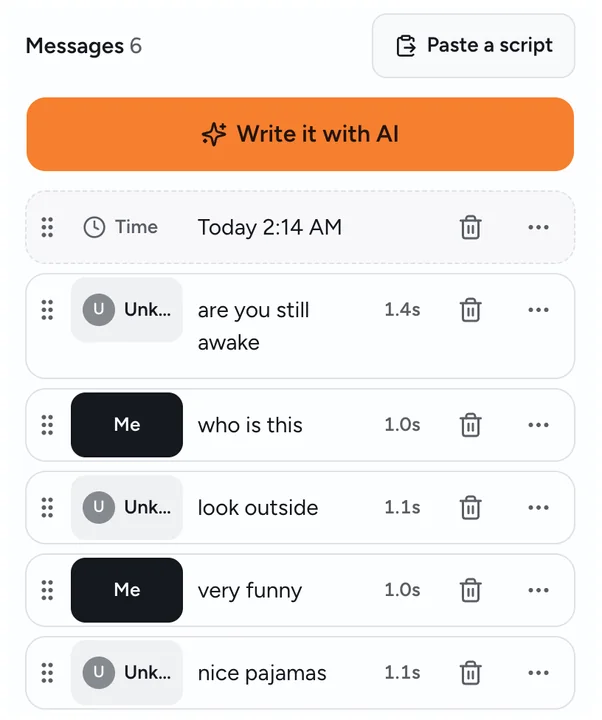
Pick the look
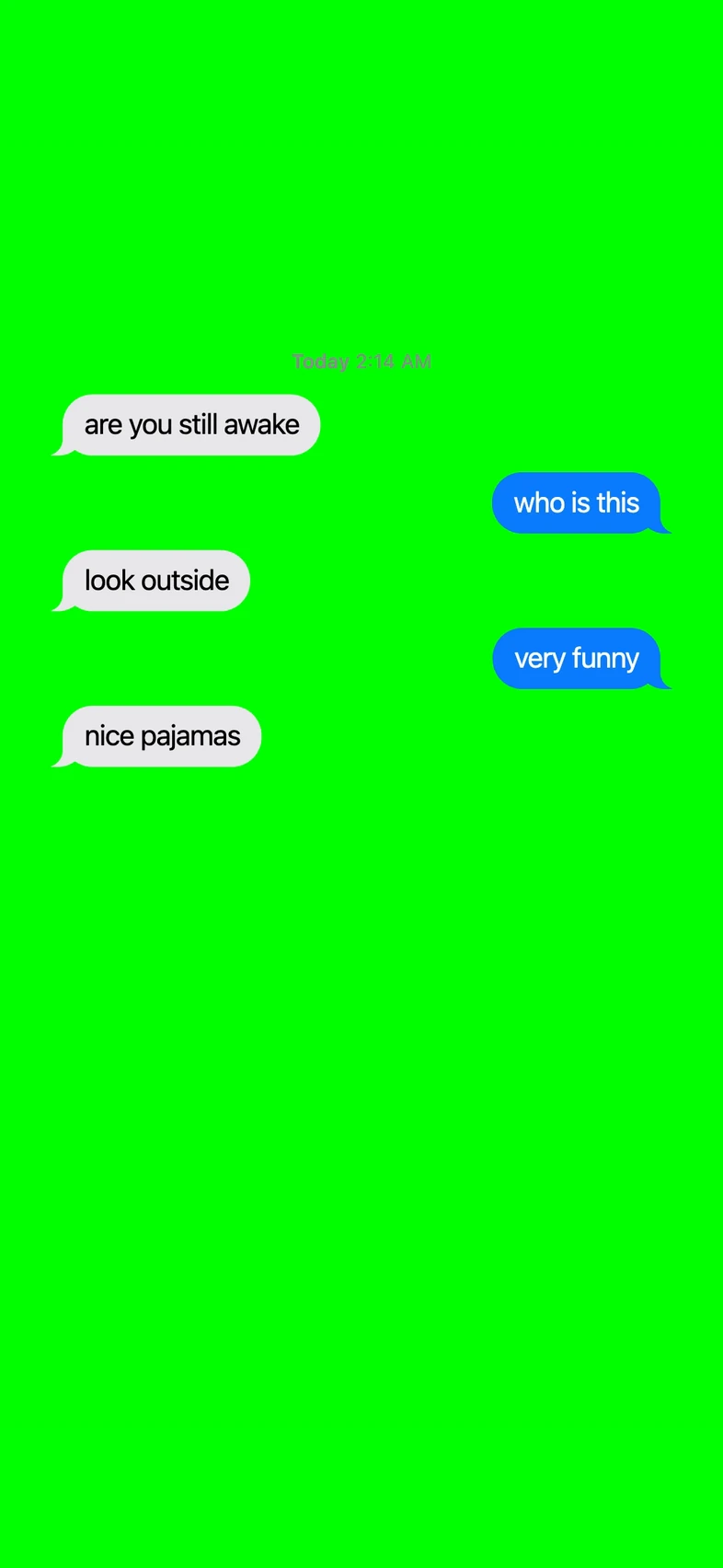
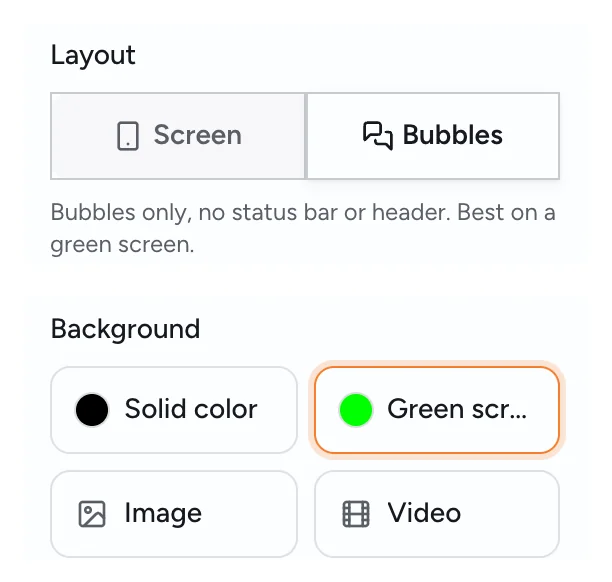
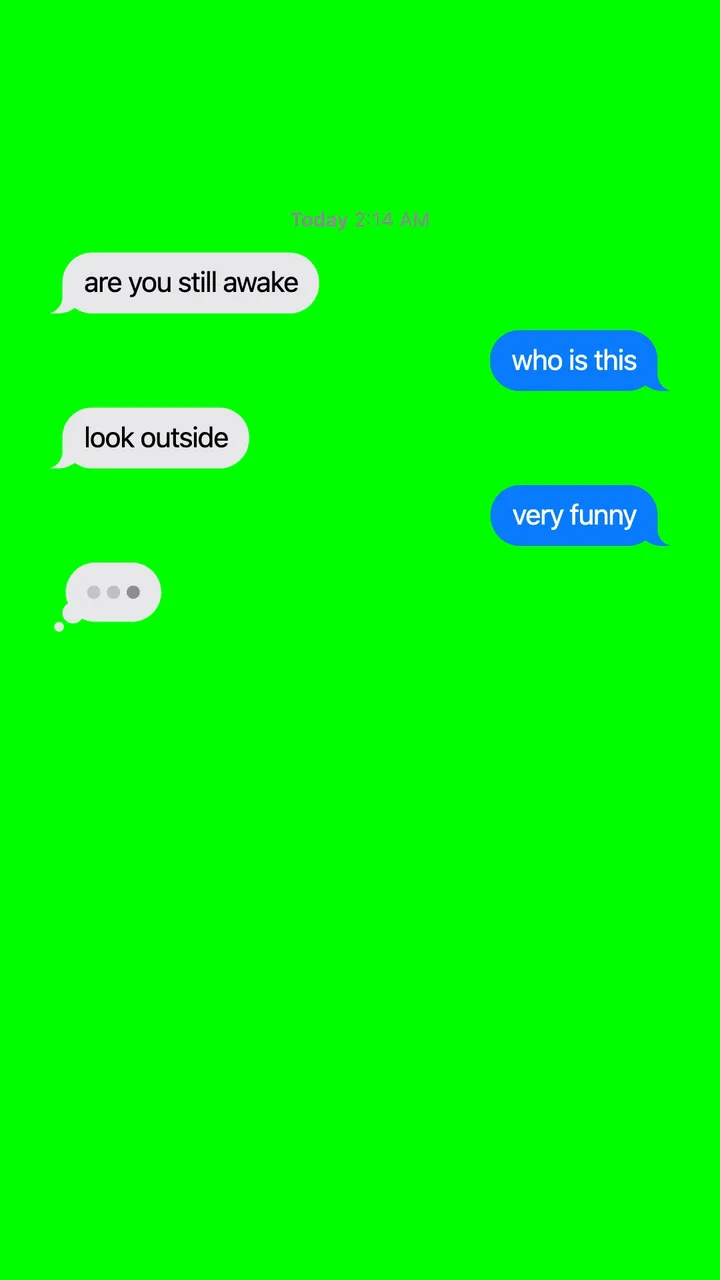
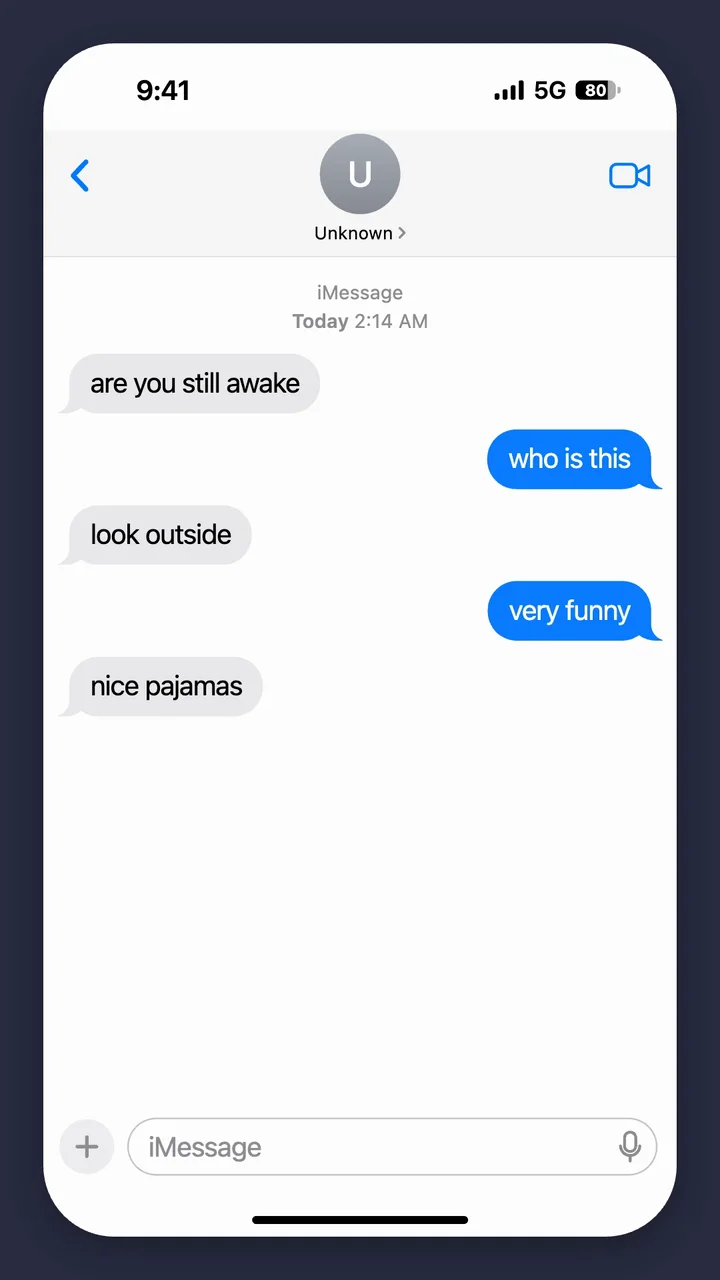
Bubbles shows only the chat bubbles, which works best on green screen. Screen shows the whole iPhone-style screen, status bar and contact name included. Then choose a background: a solid color, green screen, an image or a video.
Set the timing
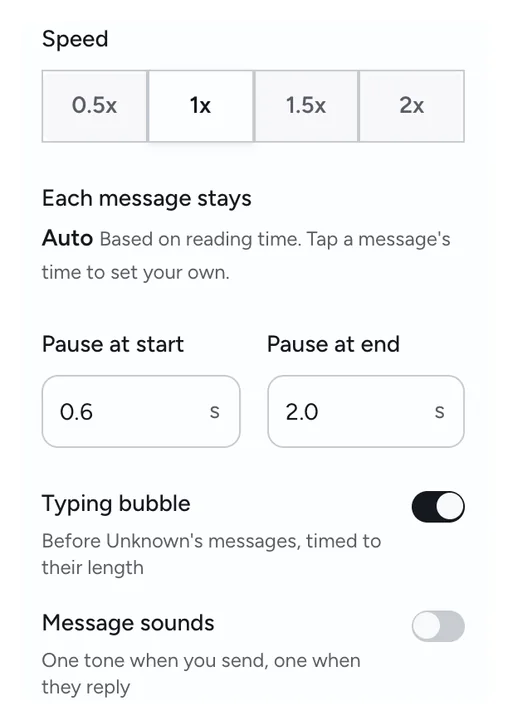
Choose the overall speed and the pauses at the start and end. Each message stays up for about as long as it takes to read; tap its time to change it. A typing bubble appears before their messages, and message sounds are optional.
Export the video
You get a 1080×1920 MP4, made right in your browser. On a phone, tap Save to Photos. On a computer, tap Download.
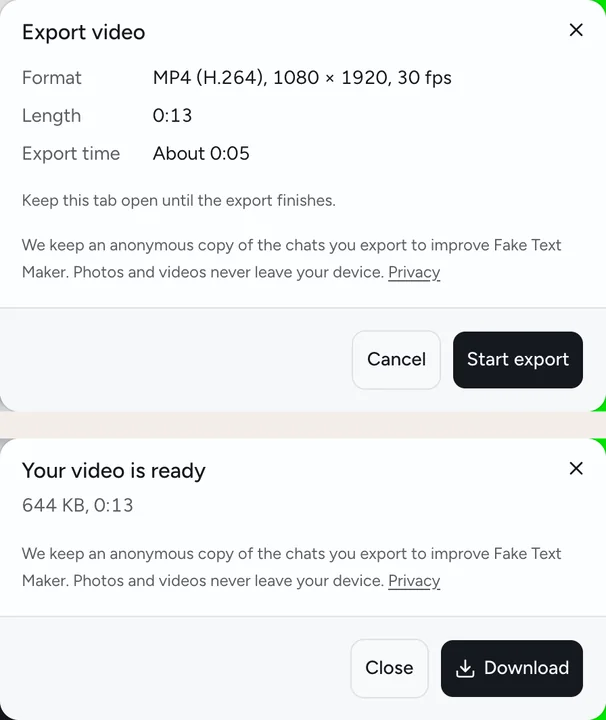
Chat animation, timed for vertical video
In a chat story, the waiting is the fun part. Messages pop in one by one, the typing bubble hangs for a second, and the last text lands after a pause. The app does the timing for you.
Two layouts:
- Bubbles: just the chat bubbles, no status bar or header. Best on a green screen, so you can put the chat over your own clip.
- Screen: the whole iPhone-style screen, centered on your background, with the contact's name and the status bar.
| Detail | Text message video |
|---|---|
| Size | 1080×1920 (9:16), 30 fps |
| File | MP4. A few browsers save WebM instead, and the app tells you before it exports |
| Length | Up to 3 minutes, end card included |
| Background | Solid color, green screen, or your own image or video |
| Timing | Overall speed, time per message, pauses at the start and end |
| Extras | Typing bubble before their messages, optional message sounds |
| Watermark | None on the chat. A 2-second Fake Text Maker end card plays at the end |
Most of the chat animator tools we looked at charge for the export or watermark the free version. Here the video is free and nothing covers the chat. It's made on your device, so nothing gets uploaded.
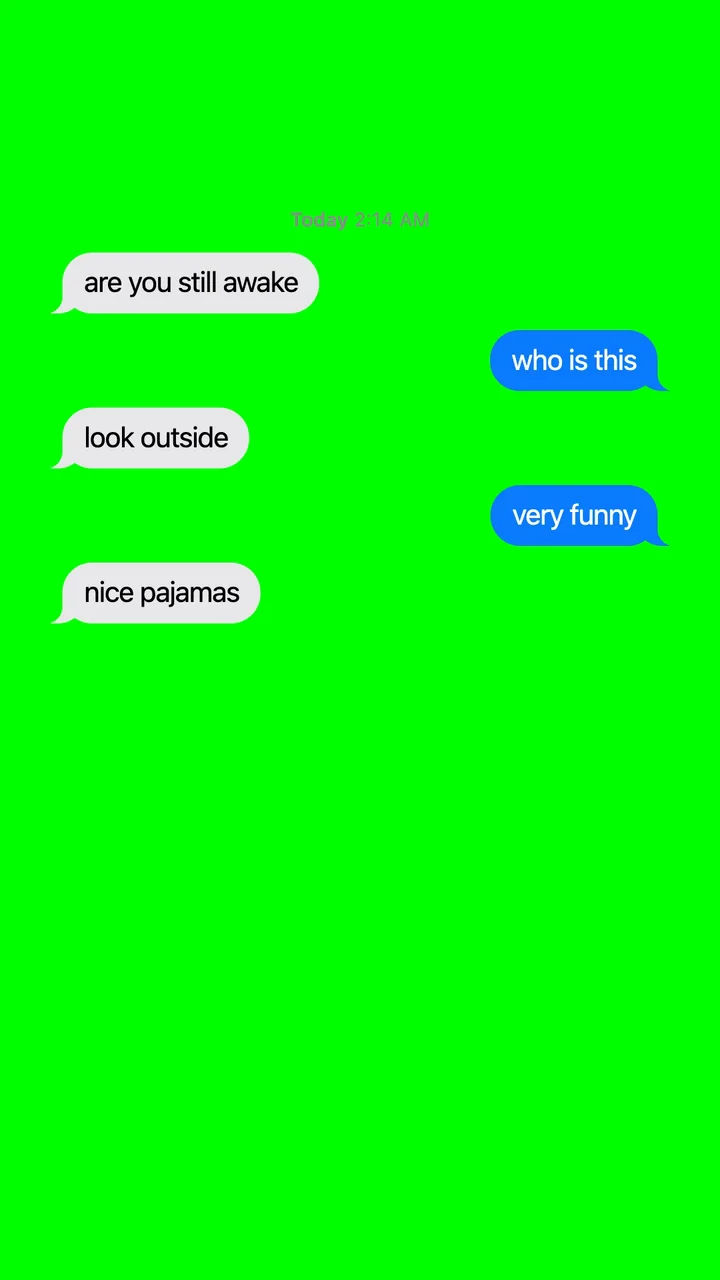
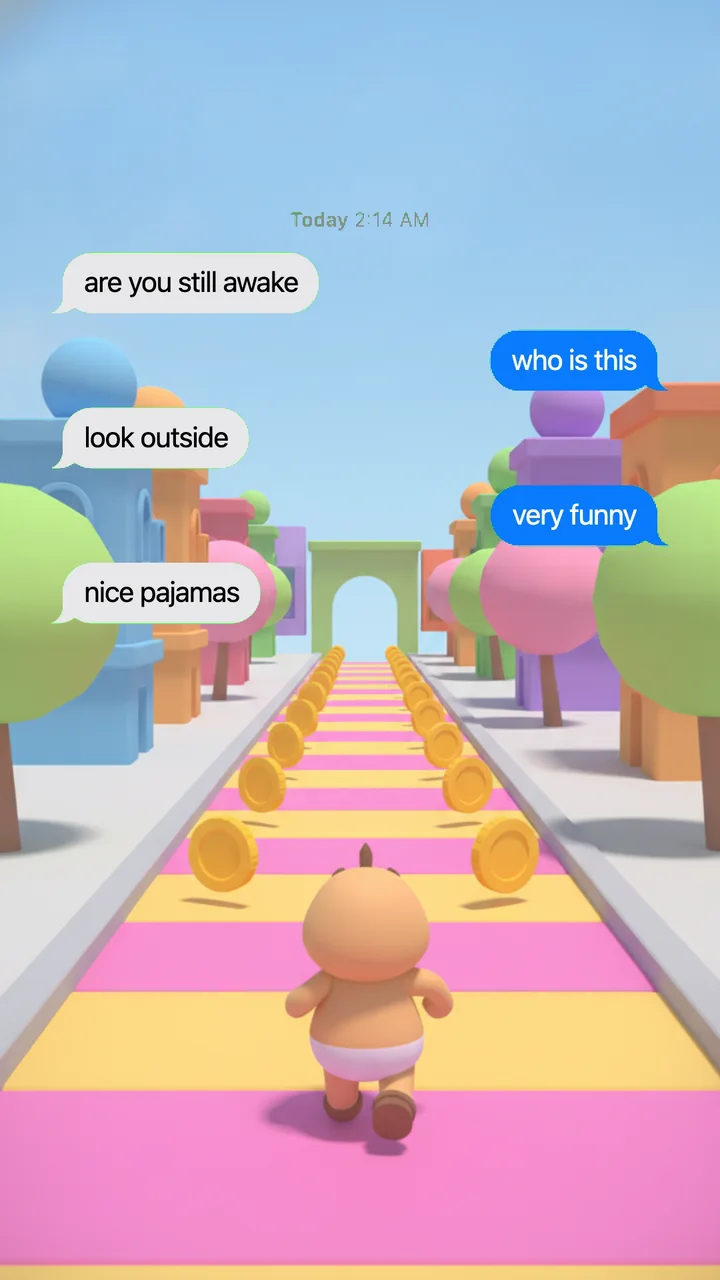
Text message green screen for CapCut
Many texting story videos are two clips stacked: the texts on top, gameplay or another clip underneath. You don't need an iMessage green screen clip from a stock site that almost fits. Make your own:
- Export the chat with the Green screen background. The Bubbles layout works best.
- In CapCut, put your clip on the main track and the chat video on an overlay track above it.
- Use CapCut's chroma key tool to remove the green (#00FF00). Then resize the chat and move it where you want it. Menu names can change between CapCut versions.
Keep the blue iMessage bubbles. Green SMS bubbles get removed along with the green background.
Rather skip the editing? Choose Video as the background and add your own clip. The chat plays over it, and you export one finished file. The clip loops, plays muted and stays on your device.
AI chat story generator: start with one sentence
Not sure what to write? Type your idea in one sentence, pick a length (short, medium or long) and a style (funny, drama, horror, romance or plot twist), add names if you want, and tap Write it. The whole script lands in the editor, and you can change any line. Want a different ending? Tap Regenerate.
A few ideas to start from:
- Horror“the babysitter keeps getting texts from the baby monitor”
- Plot twist“my best friend asks to borrow $50, then posts a photo of her new car”
- Funny“my grandma just learned voice-to-text and uses it for everything”
- Romance“I sent a 2 a.m. text to the wrong number and they answered”
You get free daily AI scripts, no account needed. The AI only writes made-up chats. It won't write as a real, named person or company. When your scripts run out, you can still type or paste a chat by hand.
Write a Chat Story with AI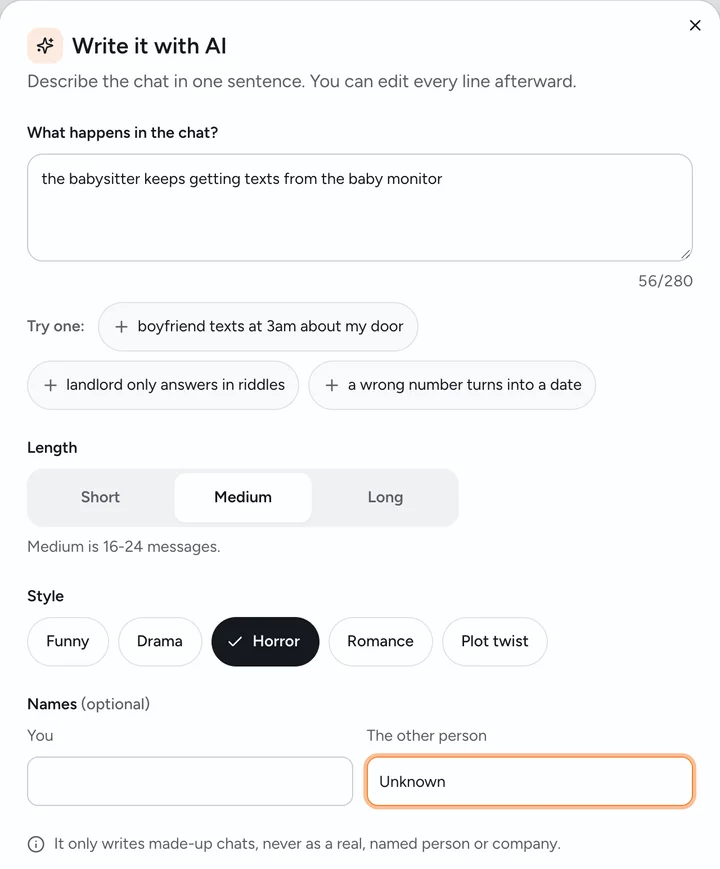
Texting story tips that keep people watching
- Open on the hook. A strong first text, like "who was at your door last night", makes people want the next one. "hey" doesn't.
- Make the chat uneven. Uneven chats feel real: one person sends three texts in a row, and the other answers "k".
- Save the twist for the last message. Then give it a longer pause at the end so it stays on screen.
- Slow down the big moment. Tap the time on that one message and add a second, and keep the rest quick.
- Make the script yours. Many channels post a similar kind of text story, so rewrite any AI lines that sound generic.
What it can't do yet
- No voiceover. There's no text-to-speech. Add a voice or music in your video editor.
- No stock clips. There's no built-in gameplay footage. Bring your own clip, or key the green screen over one.
- iPhone style only. No WhatsApp or Discord looks, and no group chats yet.
- The end card stays on. Every video ends with a 2-second Fake Text Maker card. Removing it will be a paid option later.
- Video needs a recent browser. On iPhone, iOS 16.4 or later. On Android, use Chrome. Firefox on Android can't export video.
Need a still image instead? The fake text message generator makes PNG screenshots from the same chat.
Use it for fun, not to fool people
Fake Text Maker is for made-up chats: jokes, videos, stories and mockups.
Please don't use it to:
- pretend to be a real person, a company or a bank
- harass, threaten or embarrass someone
- make "proof" for a breakup, a work complaint or a court case
- run a scam of any kind
The AI writer follows the same rules. It only writes made-up conversations. It won't write as a real, named person or company, and it won't write scam texts, fake proof, threats, harassment or sexual content involving minors.
Fake Text Maker is an independent tool and isn't affiliated with or endorsed by Apple Inc. iPhone and iMessage are trademarks of Apple Inc.
Chat story maker FAQ
Yes. Making and exporting videos costs nothing, and you don't need an account. The AI writer comes with free daily scripts. After that, you can keep writing or pasting chats by hand.
Yes. Nothing is added on top of the chat. Each video ends with a 2-second Fake Text Maker end card, and a paid option to remove it is planned.
Yes. Your text message video downloads as a regular MP4 at 1080×1920, the standard size for vertical video, so you can upload it to TikTok, Instagram Reels or YouTube Shorts, or edit it in CapCut first.
Up to 3 minutes, end card included. If a long chat runs over, raise the speed or split the story into parts.
Yes, in the browser. Writing and editing chats works on any phone or computer. Exporting video needs iOS 16.4 or later on iPhone. On Android, use Chrome (Samsung Internet works too). Firefox on Android can't export video.
A few browsers can't make MP4 files, so they save WebM, and the app tells you before it starts. CapCut and most video editors open WebM. To save the video to your iPhone's Photos, export in Safari or Chrome.
Not in the app. You can turn on message sounds, one tone when you send and one when they reply. Add voices and music in your video editor.
Yes. Put one message per line as Name: message and paste it in. Lines that start with Me: go on your side. If your script uses two names, you pick which one is you after you paste.
Videos are made on your own device, and the photos or clips you add stay there. When you export or use the AI writer, we keep an anonymous copy of the chat's text and settings for 30 days, for safety and to see how people use the tool, and then delete it. The AI writer also sends your idea to our AI provider. Details are in our privacy policy.
Create your first chat story
The editor is at the top of the page, already on the Video tab with a green screen. Start from the sample chat, paste your own, or give the AI one line.