
Text Message Templates You Can Edit and Download
Pick one of 16 text message templates, type over the names and messages, and download it as an iPhone screenshot or a 9:16 video. It's free, there's no sign-up, and nothing to install.
- Free
- No sign-up
- No watermark
- Runs in your browser
iPhone text message templates, ready to edit
Each template is a full chat. The status bar, the read receipt and the bubbles are already set, so you only change the words. Tap Use this template and it opens in the editor at the top of the page.
Screenshot looks
Still images for posts, slides and story chapters. Download a PNG at 1x, 2x or 3x, with or without the phone frame.
2 AM dark mode
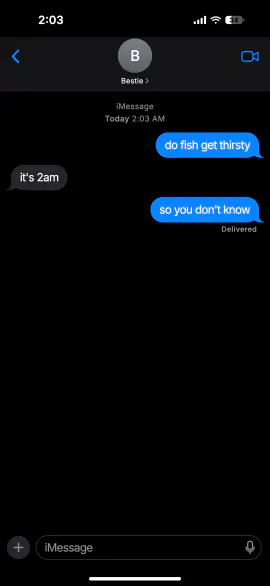
Dark mode on pure black, the clock at 2:03 and a message to Bestie that should have waited until morning. It's the same look as our black background screenshot page.
Use this template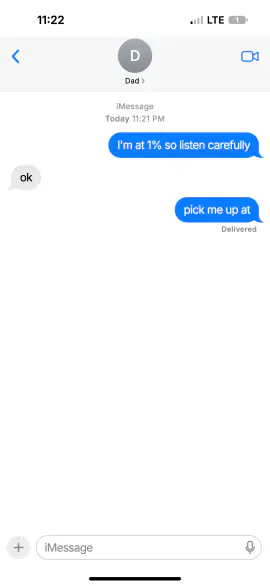
1% battery
"I'm at 1% so listen carefully." Dad says ok. The next text stops halfway, marked Delivered, with one bar of LTE in the corner.
Use this template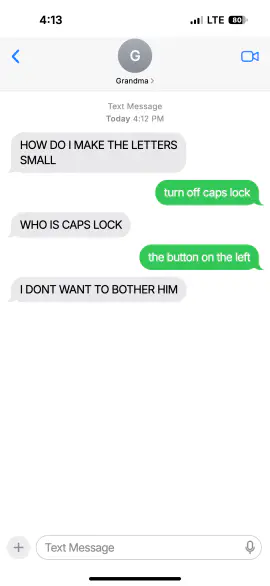
Green SMS bubbles
Grandma has found caps lock. The whole thread is on green SMS bubbles, the way an iPhone shows texts from a non-iMessage number.
Use this template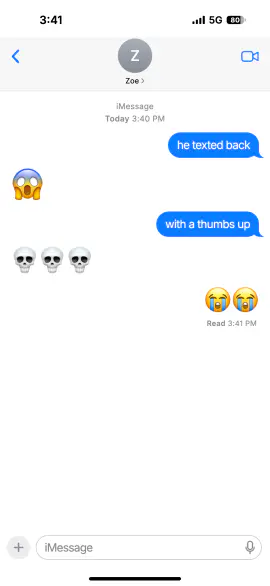
Big emoji
Messages with only emoji show large, the way your phone draws them. Zoe replies in screams and skulls.
Use this template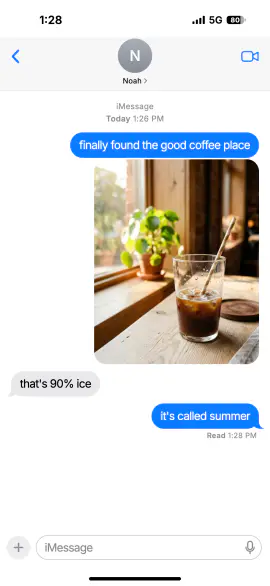
Photo message
A picture sits in the thread between two texts. Swap it for your own photo; it stays on your device.
Use this template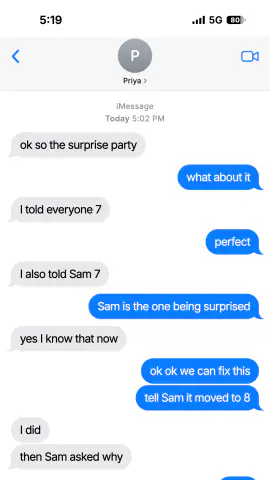
Long screenshot
A long back-and-forth with Priya, exported as one tall image instead of five cropped ones. Handy when a whole argument has to fit in one post.
Use this template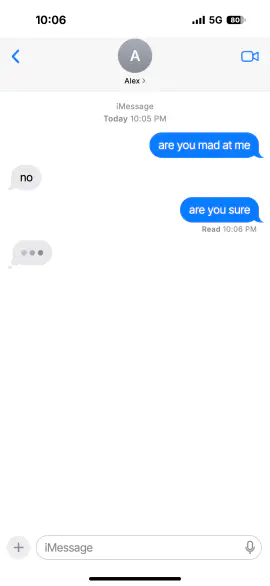
Video templates
These export as a 1080×1920 MP4. Messages appear one by one, with a typing bubble before each reply.
 Video
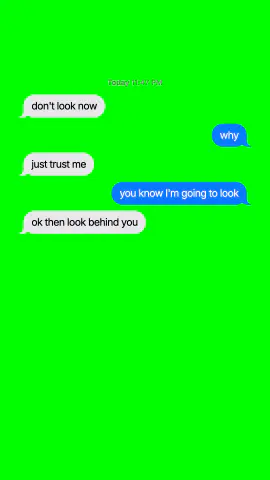
Green screen for CapCut
This iMessage template is only the bubbles, on #00FF00 green. Remove the green in CapCut or another video editor and lay the chat over your own footage.
Use this template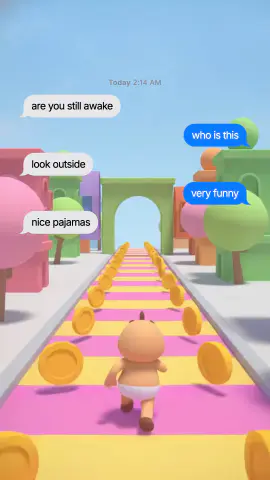 Video
Game clip background
The chat plays over a looping runner-game clip that comes with the site, the format you see on texting story videos.
Use this template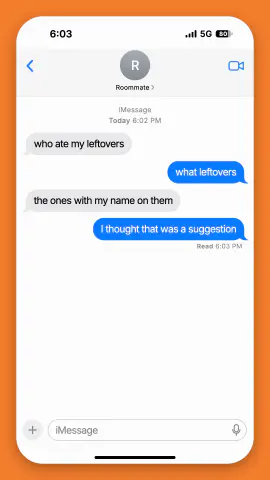 Video
Colored background
The full phone screen on an orange background, with message sounds on. Pick any color you like.
Use this template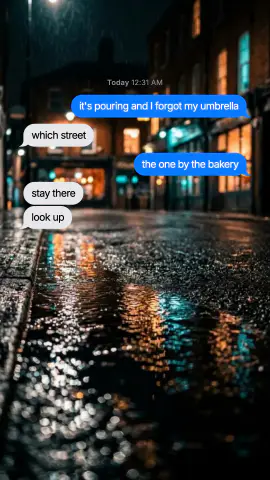 Video
Photo background
Bubbles only, over a photo of a rainy street. Replace the photo with one of yours.
Use this template
Story starters
Short chats with a setup and a hook, written to be finished by you. Export them as screenshots or turn them into a video.
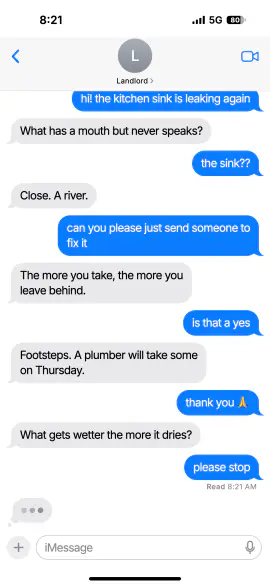
Funny: the riddle landlord
Your sink is leaking. Your landlord only answers in riddles.
Use this template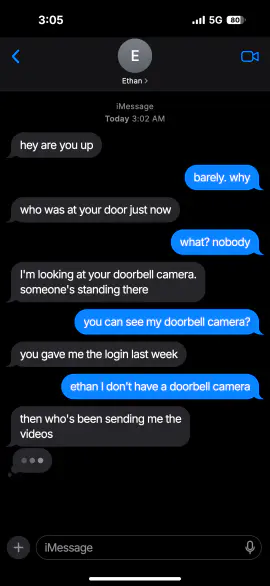
Horror: 3 AM doorbell
At 3 AM, Ethan says he can see someone at your door on your doorbell camera. You don't have a doorbell camera.
Use this template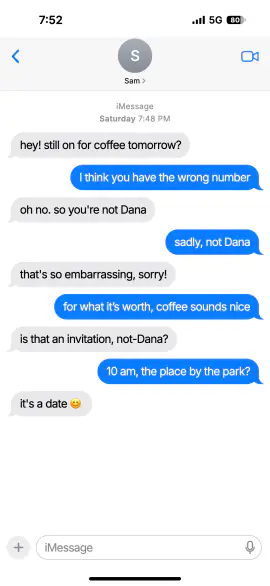
Romance: wrong number
A text meant for someone named Dana lands on your phone. Ten messages later, there's a coffee date.
Use this template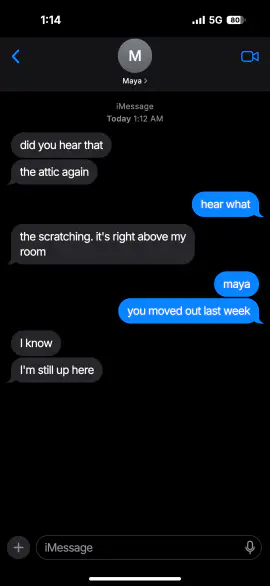
Plot twist: attic noises
Your roommate hears scratching upstairs. She moved out last week.
Use this template
How to use a text message template
- 1
Pick a template
Tap a card above, or open Templates in the editor. If you've already typed something, you can replace it or open the template as a new draft.
- 2
Make it yours
Change the contact name and photo, edit or delete any message, switch who sent it, and set the time, battery and signal in the status bar. Got a script? Paste it as
Name: message, one line each. - 3
Download it
Save a PNG of one screen or the whole thread as a long screenshot, or switch to Video and export an MP4.
An iMessage template without a design app
A design-file template (a Canva layout, a Figma kit, an After Effects project) makes you draw each bubble and fix the spacing every time a message wraps to two lines. Here the editor lays out the bubbles for you.
- A chat holds up to 300 messages, so a long argument still fits on one long screenshot.
- Typing dots, Delivered and Read, blue or green bubbles, dark mode and big emoji are switches, not layers you build.
- No screen recording. You don't have to text a friend and film your phone. The video plays your chat one message at a time, up to 3 minutes long, and it's made right in your browser.
What you can make with these templates
TikTok and Reels
Export the green screen template, drop it into CapCut, and put the conversation over gameplay or your own clips. For a full texting story with AI help, the chat story maker starts in video mode.
Fanfic, chat AUs and novels
A chat shows a scene the way a real phone would: the late reply, the read receipt, the dots that appear and then stop. If you're deciding how texts should look on the page, see how to write text messages in a story.
Class worksheets
Export a chat, or an empty one, and print it for students to continue the conversation between two characters.
Slides and storyboards
Put a text message mockup on a pitch deck slide, in a UX case study or on a short film storyboard.
Start from a blank text message template
Want an empty phone instead? Open Drafts in the editor and choose New draft. You get a chat with no name and no messages that keeps the look you had set (light or dark, blue or green), ready to fill in or to print as an empty worksheet.
Keep it fiction
These templates are for fiction, jokes your friends are in on, videos, lessons and design work. Don't use them to pretend a real person said something, to fake evidence, or to trick anyone. Nothing here sends a text; you only download a picture or a video. Fake Text Maker isn't affiliated with Apple, and iPhone and iMessage are Apple's trademarks.
Text message template FAQ
Yes. Every template, every edit and every download is free, and you don't need an account. Screenshots have no watermark. Videos end with a 2-second Fake Text Maker card; the chat itself has no logo on it.
Yes. Export the green screen template as an MP4, import it, and use your editor's green screen (chroma key) tool on the #00FF00 green. The PNG works too if you only need a still.
Up to 300 messages per chat. A video can run up to 3 minutes. For a long thread as one image, use the Long screenshot download.
They copy the iPhone Messages screen: the status bar, blue and green bubbles, typing dots, Delivered and Read. You can show or hide the phone frame on the PNG.
No. Each chat is between you and one contact.
No. These templates only have the iPhone look.
Every chat you make is saved as a draft in this browser, so you can open it again and change it. Clearing your browser data deletes the drafts. There is no shared template library.
The PNG and the video are made on your device. Photos you add stay there. When you export or use the AI writer, we keep an anonymous copy of the chat's text and settings for 30 days, then delete it. Details are in our privacy policy.
Pick a template and start typing
Sixteen chats are ready above. Choose one, change the words, and download it.
Pick a Text Message Template